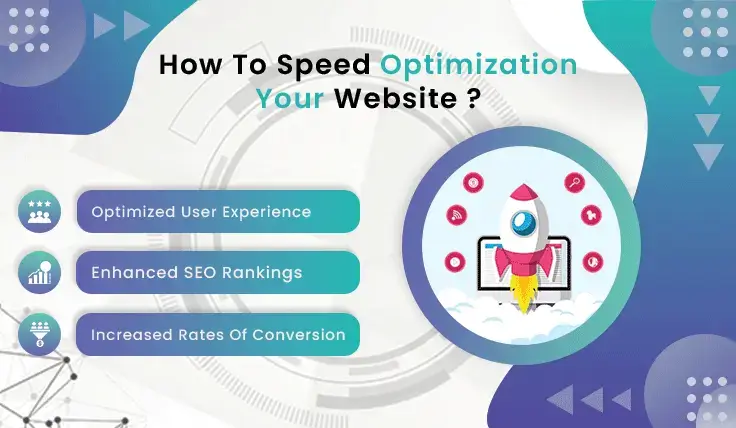
Why need to improve Site speed
Improving site speed is crucial for several reasons, impacting both user experience and business outcomes. Here are the key reasons why you need to improve site speed:
-
Enhanced User Experience
Faster Load Times: Users expect websites to load quickly. Slow sites lead to frustration and a higher bounce rate.
Improved Navigation: Faster sites allow users to navigate through content more efficiently, making their experience smoother and more enjoyable.
-
Better SEO Rankings
Search Engine Algorithms: Google and other search engines factor site speed into their ranking algorithms. Faster sites rank higher, leading to increased visibility.
Mobile-First Indexing: With the rise of mobile internet usage, search engines prioritize mobile-friendly and fast-loading sites.
-
Higher Conversion Rates
Reduced Abandonment: Slow load times can cause users to abandon a site before it even loads. Improving speed reduces this abandonment rate.
Increased Sales and Leads: Faster sites keep users engaged, increasing the likelihood of conversions, whether it’s making a purchase, signing up for a newsletter, or filling out a contact form.
-
Lower Bounce Rates
User Retention: Users are more likely to stay on a site and explore it if it loads quickly. High bounce rates negatively impact both user experience and SEO rankings.
-
Competitive Advantage
Staying Ahead: In a competitive market, site speed can be a differentiator. A faster site provides a better experience, encouraging users to choose your site over slower competitors.
Customer Satisfaction: Meeting and exceeding user expectations with fast load times enhances overall customer satisfaction.
-
Mobile Experience
Mobile Users: With a significant portion of web traffic coming from mobile devices, optimizing site speed for mobile users is essential. Slow sites can deter mobile users, who often have less patience for slow load times.
Page Speed and AMP: Implementing Accelerated Mobile Pages (AMP) and optimizing for mobile speed improves the overall mobile user experience.
-
Resource Efficiency
Reduced Server Load: Faster sites use resources more efficiently, reducing the load on your server and potentially lowering hosting costs.
Improved Caching and Compression: Techniques like caching and compression reduce the amount of data transferred, improving site speed and reducing bandwidth usage.
-
Better Analytics Accuracy
Accurate Data: Slow sites can distort analytics data, as users may abandon the site before tracking scripts load. Improved site speed ensures more accurate user engagement data.
Here are some steps to enhance site speed:
-
Optimize Images
Compress Images: Use tools like TinyPNG or ImageOptim to reduce file size without losing quality.
Use the Right Format: JPEG for photos, PNG for graphics with fewer than 16 colors, SVG for simple graphics and icons.
Lazy Loading: Load images as the user scrolls down the page.
Optimizing images using .htaccess can help improve website performance by leveraging browser caching, compression, and specifying image dimensions.
<IfModule mod_expires.c> ExpiresActive On ExpiresByType image/jpg "access plus 1 year" ExpiresByType image/jpeg "access plus 1 year" ExpiresByType image/gif "access plus 1 year" ExpiresByType image/png "access plus 1 year" ExpiresByType text/css "access plus 1 month" ExpiresByType application/pdf "access plus 1 month" ExpiresByType text/x-javascript "access plus 1 month" ExpiresByType application/x-shockwave-flash "access plus 1 month" ExpiresByType image/x-icon "access plus 1 year" ExpiresDefault "access plus 2 days" </IfModule> <IfModule mod_deflate.c> AddOutputFilterByType DEFLATE image/jpeg AddOutputFilterByType DEFLATE image/gif AddOutputFilterByType DEFLATE image/png AddOutputFilterByType DEFLATE image/webp </IfModule> <IfModule mod_headers.c> <filesMatch "\.(ico|pdf|flv|jpg|jpeg|png|gif|js|css|swf)$"> Header set Cache-Control "max-age=31536000, public" </filesMatch> </IfModule> -
Optimize Images
Minimize HTTP Requests
Combine Files: Combine CSS and JavaScript files to reduce the number of requests.
Reduce Plugins: Remove unnecessary plugins and only use essential ones.
<IfModule mod_deflate.c>
    AddOutputFilterByType DEFLATE text/html
    AddOutputFilterByType DEFLATE text/css
    AddOutputFilterByType DEFLATE text/javascript
    AddOutputFilterByType DEFLATE application/javascript
    AddOutputFilterByType DEFLATE application/x-javascript
    AddOutputFilterByType DEFLATE text/xml
    AddOutputFilterByType DEFLATE application/xml
    AddOutputFilterByType DEFLATE application/xml+rss
    AddOutputFilterByType DEFLATE application/xhtml+xml
    AddOutputFilterByType DEFLATE application/x-font-ttf
    AddOutputFilterByType DEFLATE application/x-font-otf
    AddOutputFilterByType DEFLATE font/opentype
    AddOutputFilterByType DEFLATE font/otf
    AddOutputFilterByType DEFLATE font/ttf
</IfModule>
Use a Content Delivery Network (CDN)
CDN Services: Use services like Cloudflare or Akamai to distribute content globally, reducing load times. For common libraries like jQuery, Bootstrap, and others, you can use CDNs provided by organizations like Google, Microsoft, or the library authors themselves.
# Redirect static files to CDN <IfModule mod_rewrite.c> RewriteEngine On RewriteCond %{REQUEST_URI} ^/images/ RewriteRule ^images/(.*)$ https://cdn.example.com/images/$1 [R=301,L] RewriteCond %{REQUEST_URI} ^/css/ RewriteRule ^css/(.*)$ https://cdn.example.com/css/$1 [R=301,L] RewriteCond %{REQUEST_URI} ^/js/ RewriteRule ^js/(.*)$ https://cdn.example.com/js/$1 [R=301,L] </IfModule>-
Optimize CSS, JavaScript, and HTML
Minify Files: Use tools like UglifyJS and CSSNano to minify JavaScript and CSS files.
Inline Critical CSS: Inline the CSS required for the above-the-fold content.
Enable Compression
Gzip Compression: Enable Gzip compression to reduce the size of your HTML, CSS, and JavaScript files.
# Enable Compression <IfModule mod_deflate.c> AddOutputFilterByType DEFLATE text/html AddOutputFilterByType DEFLATE text/css AddOutputFilterByType DEFLATE application/javascript AddOutputFilterByType DEFLATE application/x-javascript AddOutputFilterByType DEFLATE text/xml AddOutputFilterByType DEFLATE application/xml AddOutputFilterByType DEFLATE application/xml+rss AddOutputFilterByType DEFLATE application/xhtml+xml AddOutputFilterByType DEFLATE font/ttf AddOutputFilterByType DEFLATE font/otf AddOutputFilterByType DEFLATE font/eot AddOutputFilterByType DEFLATE font/woff AddOutputFilterByType DEFLATE font/woff2 </IfModule>-
Reduce Server Response Time
Fast Hosting: Choose a reliable hosting provider.
Optimize Database: Regularly clean up your database and use efficient queries.
Leverage Browser Caching
Set Expiry Dates: Set up caching to store static resources in the user’s browser for a specified time.
<IfModule mod_expires.c>
    FileETag MTime Size
    AddOutputFilterByType DEFLATE text/plain text/html text/xml text/css application/xml application/xhtml+xml application/rss+xml application/javascript application/x-javascript
    ExpiresActive On
    ExpiresByType text/html "access 600 seconds"
    ExpiresByType application/xhtml+xml "access 600 seconds"
    ExpiresByType text/css "access 1 month"
    ExpiresByType text/javascript "access 1 month"
    ExpiresByType text/x-javascript "access 1 month"
    ExpiresByType application/javascript "access 1 month"
    ExpiresByType application/x-javascript "access 1 month"
    ExpiresByType application/x-shockwave-flash "access 1 month"
    ExpiresByType application/pdf "access 1 month"
    ExpiresByType image/x-icon "access 1 year"
    ExpiresByType image/jpg "access 1 year"
    ExpiresByType image/jpeg "access 1 year"
    ExpiresByType image/png "access 1 year"
    ExpiresByType image/gif "access 1 year"
    ExpiresDefault "access 1 month"
</IfModule>
Optimize Web Fonts
Limit Font Use: Use fewer fonts and weights.
Host Fonts Locally: Serve web fonts from your server to reduce third-party requests.
Use the
preloaddirective in your HTML to prioritize loading critical fonts early.<link rel="preload" href="yourfont.woff2" as="font" type="font/woff2" crossorigin> Use the @font-face rule in your CSS to declare the fonts and specify their location on your server. @font-face { font-family: 'YourFont'; src: url('/path/to/yourfont.woff2') format('woff2'), url('/path/to/yourfont.woff') format('woff'); /* Add additional formats if necessary */ font-weight: normal; font-style: normal; }Use Asynchronous Loading for JavaScript
Async and Defer: Use async or defer attributes in the script tags to load JavaScript files.
<script src="your-script.js" async></script>
<script src="your-script.js" defer></script>
Monitor Performance
Performance Tools: Use tools like Google PageSpeed Insights, GTmetrix, or WebPageTest to regularly monitor and improve site speed.
However, the real game changers are those that improve performance with caching.
W3 Total Cache:
One of the most popular tools in this category is W3 Total Cache. It is not only a WordPress site speed optimization tool. So it’s time to clean up and simplify your WordPress site with these essential tools to keep it running.
Optimize your images:
Images are a big chunk corresponding to this problem. Sometimes, we just sort and insert the pictures we want to include in our site, and not think about their size, and the negative effects that come after.
There is a solution: tools that can automatically optimize images, such as Smush Image
Optimization. It is a great image optimization tool available as a WordPress plugin. It does the heavy lifting for you by cleaning up large images and improving page speed.
Improve user satisfaction:
Optimizing your website isn’t just about fixing technical issues; there is a whole world of factors that you may not have considered. Things like poorly placed calls to action, dead links, or high bounce rates can quietly affect your WordPress site’s performance.
Try a Content Delivery Network (CDN)
Your local hosting provider can distribute your site’s data worldwide, but the speed doesn’t stay consistent. If your server is located in Eastern Europe and an eager US customer clicks on your site, they will likely experience a frustrating delay between the click and the page response.
Discover Content Delivery Network (CDN). A CDN is like a network of servers spread all over the world. When you use a CDN, a smart tool creates copies of your data and stores them on different servers.
Use lazy loading
Frustrated because your site is still slow even after trying all the tips I’ve shared before? Well, don’t give up just yet because I have another trick for you – lazy loading! Lazy loading is like a secret weapon to speed up your website.
By selectively using these plugins based on your site’s specific needs, you can significantly improve its speed and performance. Remember to monitor the impact of each plugin and ensure they are configured properly to maximize benefits.
- WP Super Cache
- WP Rocket
- Autoptimize
- WP-Optimize
- Smush
Advantages of Site Speed:
-
Improved User Experience:Fast-loading websites provide a better user experience, reducing bounce rates and encouraging users to stay longer on the site.
-
Higher Conversion Rates: Faster sites can lead to higher conversion rates as users are more likely to complete desired actions such as making a purchase or filling out a form.
-
Better Search Engine Rankings: Search engines like Google consider site speed as a ranking factor, so faster sites can achieve better search engine rankings.
-
Lower Bounce Rates: Slow-loading sites often lead to higher bounce rates. Users are more likely to leave a site that takes too long to load.
-
Increased Mobile Traffic: Mobile users typically have less patience for slow-loading sites. A faster mobile experience can attract and retain more mobile visitors.
-
Enhanced Brand Perception: A fast website can enhance the perception of a brand, making it seem more professional and trustworthy.
-
Better Resource Utilization: Faster sites often utilize server and network resources more efficiently, leading to cost savings in bandwidth and hosting.
Disadvantages of Site Speed:
-
Higher Development Costs: Achieving optimal site speed may require additional investment in development and optimization techniques, which can be costly.
-
Complexity in Implementation: Speed optimization can be technically challenging and may require specialized knowledge and tools.
-
Potential for Over-Optimization: In an effort to speed up a site, critical features or content might be stripped down, potentially impacting the user experience.
-
Compatibility Issues: Some speed optimization techniques may cause compatibility issues with certain browsers or devices, leading to a degraded experience for some users.
-
Maintenance Overhead: Continuous monitoring and maintenance are required to ensure the site remains fast, which can add to the ongoing workload.
-
Trade-offs with Visual and Functional Elements: Highly visual or functionally rich websites might need to compromise on some elements to achieve faster loading times.
-
Limited Returns for Extremely Fast Sites: Beyond a certain point, further increases in speed might yield diminishing returns in terms of user experience and conversion rates.
Book a free consultation with us today, and let our experts elevate your website to the next level of professionalism.
Don’t forget to follow us on Instagram too.